
DivTIESUS is a SD/MMC card interface for the ZX Spectrum. First designed by Mario Pratto as DivMMC, DivTIESUS is an independent design, compatible with the I/O ports and mapper used both in DivIDE and DivMMC, but adding more features by Miguel Angel Rodríguez Jódar
There is a larger version of DivTIESUS, nicknamed “Pijus Magnificus” edition. This one is the “Tiesus del tó” version, which I have released for the community, so anyone can build his/her own interface.
Features
- DivMMC compatible interface with 8 KiB of EEPROM and 128 KiB of RAM. Standard utils for EEPROM flashing, as provided by the ESXDOS team, are compatible with DivTIESUS.
- Model autodetection. This means you don’t need to put a jumper, or flip a switch to change from using it with a Spectrum 48K and a +3.
- Tested with ZX Spectrum 48K issue 1, 2, 3, 3B, 4A, 4B and 6A. NEC and Hitachi ROM chips. Also tested on Inves Spectrum, Spectrum 128K (both english and spanish versions), +2 grey, +2A, +2B and +3. Also tested on Harlequin 48K. Compatible with TK90X also.
- It uses its own fast clock (25 MHz). It does not need the CPU clock at all.
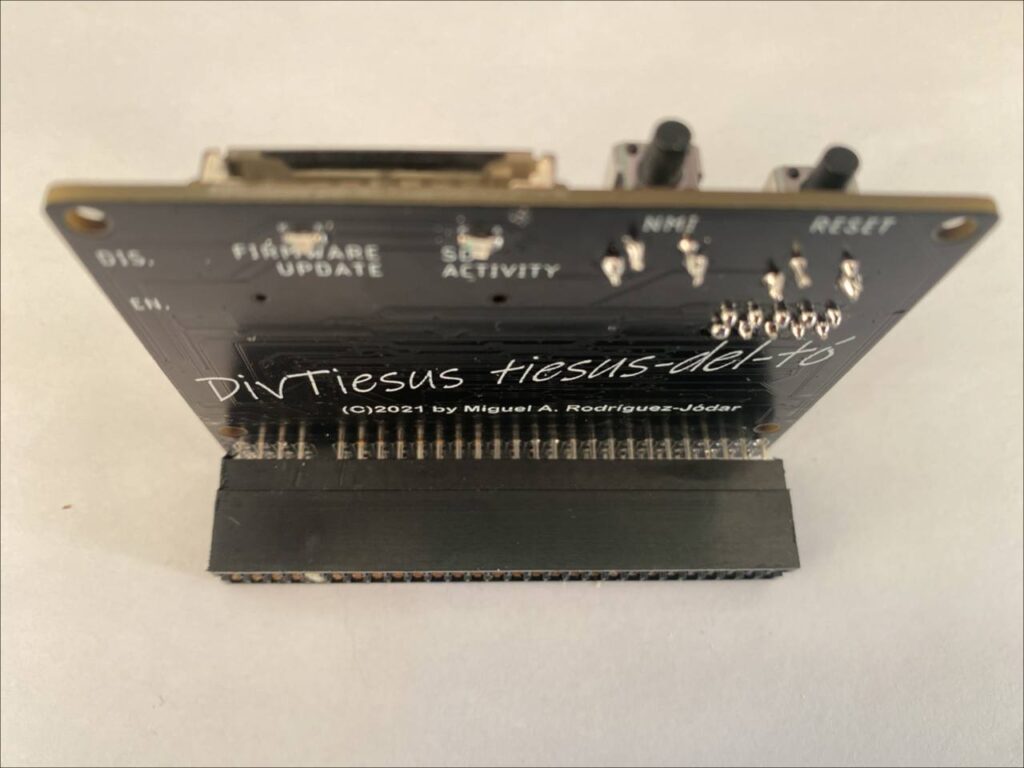
- Rear expansion port continuation, allowing the user to plug another device. Note that ROMCS and other signals are not filtered.
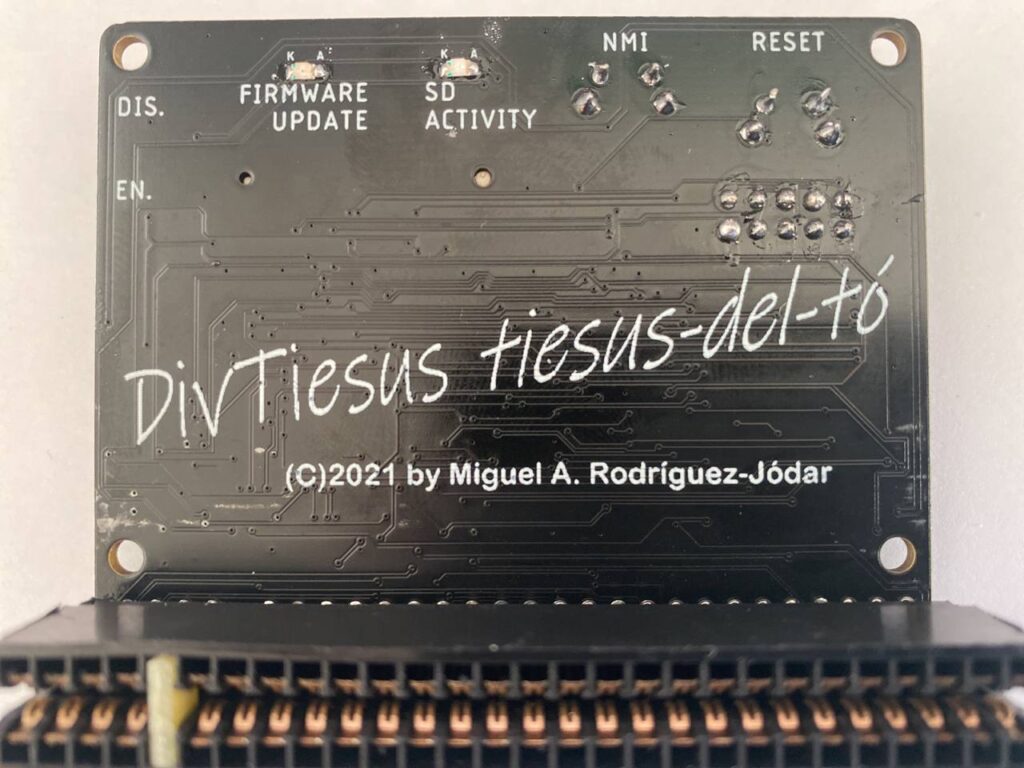
- NMI button to call file browser in ESXDOS, and handy RESET button. The RESET button is placed so that it won’t be accidentally pressed while operating the interface.
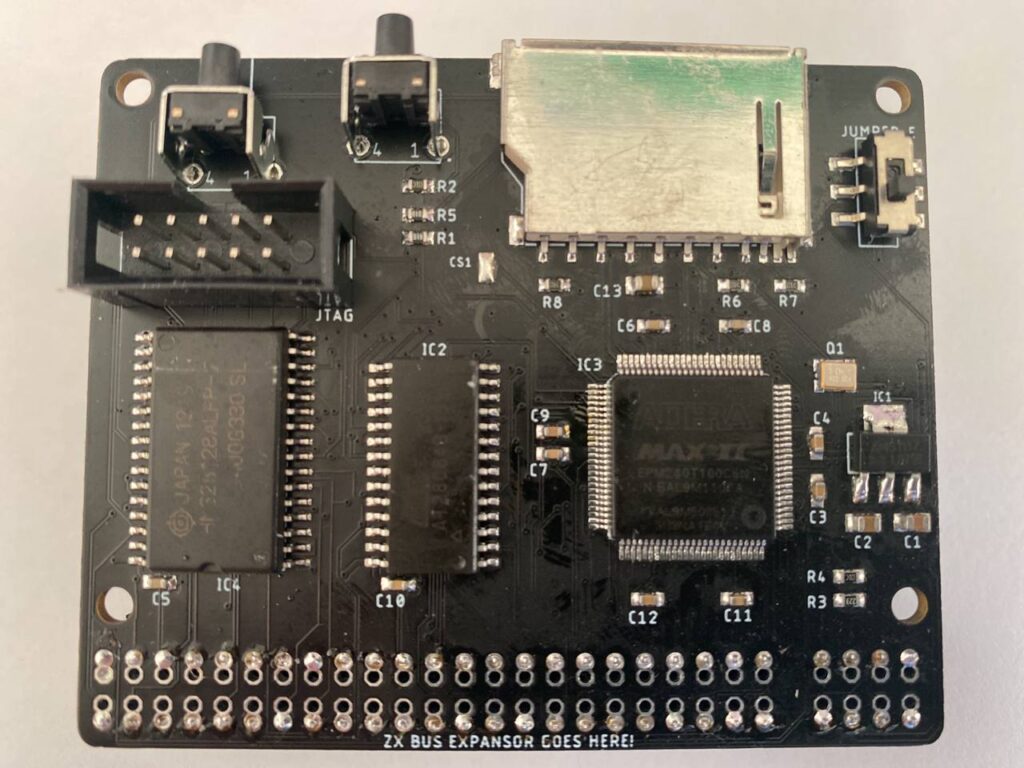
- Standard SD card slot (accepts both big SD cards and microSD cards (with adapter).
- A single switch is used to indicate DivTIESUS that the EEPROM can be flashed (JP2 equivalent) and the automapping feature is disabled.
- Visual feedback for SD activity (blue led) and update EEPROM mode (red led).
- ESXDOS shadowing does not collide with all-RAM feature in +2A/B/3 machines. If the system is in all-RAM mode, ESXDOS ROM mapping is disabled.
- Soft +3E feature: DivTIESUS is able to load +3E ROM images from the SD card, install them as the system ROM (using its own RAM), and make them available to the computer, while disabling the automapping feature (needed for ESXDOS but not for +3eDOS). This, effectively, allows the user to operate his/her +2A/B/3 machine as a +2e/3e one, all without having to open the case and exchange ROMs. A new dot command, “.go3e” makes this possible. Such command only works with DivTIESUS.
- Soft ROM feature: the soft +3E feature can also be used to load any 16K, 32K or 64K ROM and make the computer to boot with that ROM (the dot command currently supports only 16K ROMs). This means that ROM images for some util/games available for the Spectrum can be run in their original form. No need to have a +2A/B/3 machine to use them.
Bill of materials
| Qty | Value | PCB part | Mouser ref. |
|---|---|---|---|
| 2 | WS-TATU-TH 431256058726 | NMI, RESET | 710-431256058726 |
| 1 | SDCARD SLOT | SDCARD | 523-GMC020080HR |
| 2 | 1K | R1, R5 | 603-RC0603FR-131KL |
| 5 | 10K | R2, R4, R6, R7, R8 | 603-RC0603FR-1310KL |
| 3 | 10uF | C1, C2, C13 | 581-0805YC106KAT2A |
| 1 | 22K | R3 | 603-RC0603FR-1322KL |
| 1 | 25 MHz 3225 | Q1 | 520-3225Q-33-240-BST |
| 1 | 28C64ASO | IC2 | 556-AT28C64B15SU |
| 10 | 100nF | C3, C4, C5, C6, C7, C8, C9, C10, C11, C12 | 581-0603YC104J4T4A |
| 1 | CONECTOR_BUS_TRASERO | U$1 | 571-5530843-6 |
| 1 | EPM240T100C4 | IC3 | 989-EPM240T100C4 |
| 1 | IS65C1024ALSO32 | IC4 | 727-CY62128ELL45SXIT |
| 1 | JTAG | JTAG | 517-N2510-6002RB |
| 1 | LED0805-BLUE | SD ACTIVITY | 710-150080BS75000 |
| 1 | LED0805-RED | FIRMWARE UPDATE ENABLED | 710-150080RS75000 |
| 1 | LM1117-3.3 | IC1 | 511-LD1117S33 |
| 1 | SWITCH_SMD_6PIN | JUMPER_E | 4000030382277 (Aliexpress) |
- The oscillator does not need to be 25 MHz. It can be about any value between 14 and 30 MHz (it may even work with values outside these limits -not tested-)
- It is very advisable to use a stencil and solder paste for the soldering process. You don’t really need a reflow oven, as parts can be soldered using hot air. There are plenty of Youtube videos covering the matter.
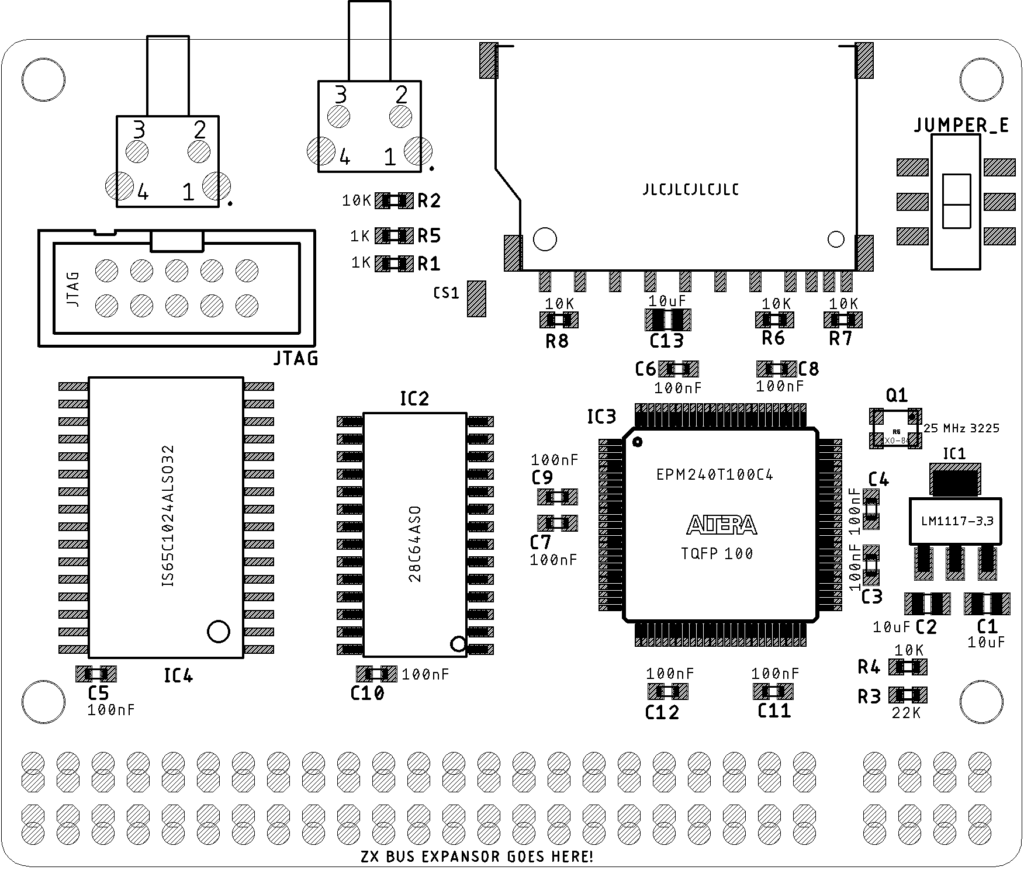
- Start placing passives (resistors, capacitors, going from right to left. Leave the SRAM, EEPROM, SD socket and CPLD for the end (in this order). Don’t place thru-hole components yet.
- Reflow the top side using an oven, hot plate or hot air. For two pad parts you can even apply the solder tip a few seconds on each pad to allow reflowing it, while keeping the part in place with a pair of tweezers. Same method can be used with SOT-223 parts (the 3.3V regulator), the SD card slot and the SMD switch.
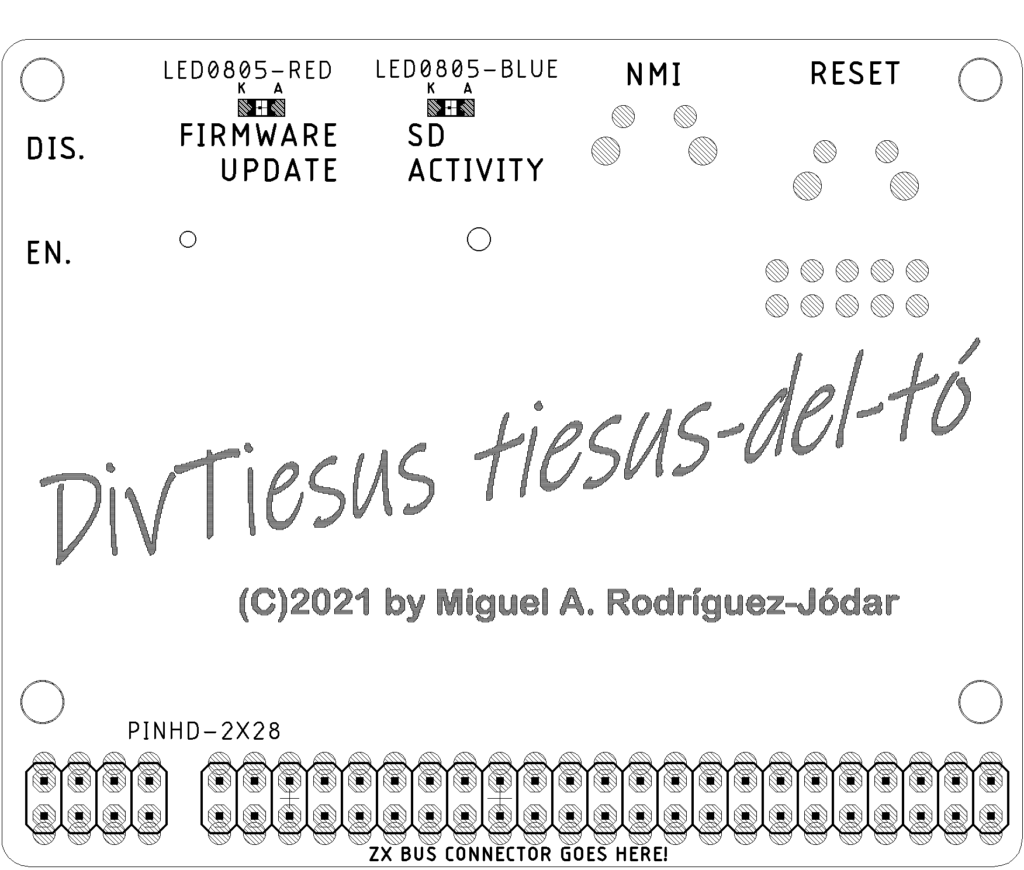
- Turn the board and put-place-solder the two leds. Be aware of polarity with them. Also be aware that these components are very delicate and won’t hold much heat, so try to not to apply too much heat and for too much time. You can see in the PCB that (K)athode and (A)node are marked. If you don’t like red and blue, use whichever colours you like (or have available).
Firmware
To flash EPM240T100C4, use the Altera Quartus program and a USB blaster, connect the JTAG connectors and flash the file tld_divtiesus.pof from the cpld folder. To do this, you need to supply power to the board or connect the assembled module to the computer port.
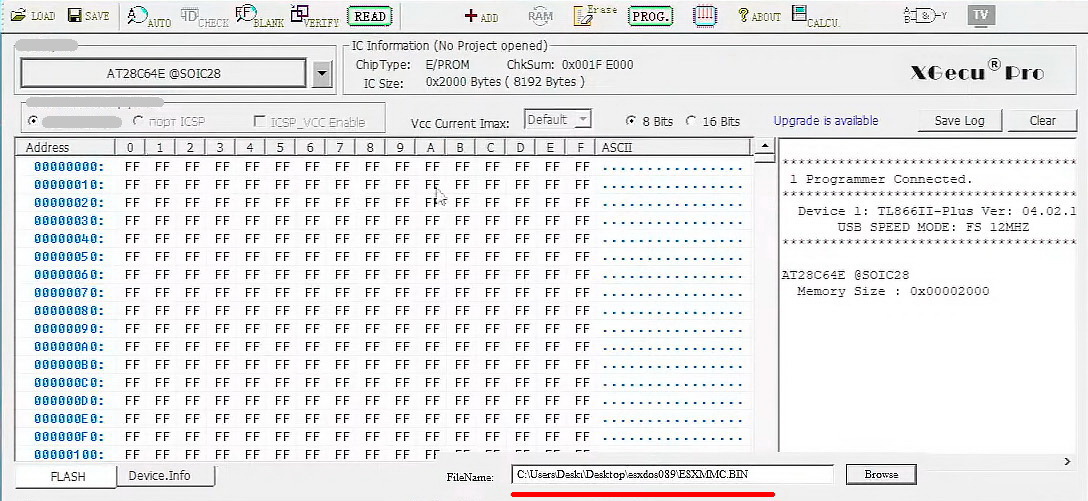
To flash 28C64ASO go to the site esxdos.org and download the latest version, please note that the firmware version and system files on the flash card must be the same. For firmware use the XGecu TL886 programmer or any suitable one. File ESXMMS.BIN
Get a SD or SD-HC card (tested up to 32 GB). Format it with FAT32. Copy the BIN and SYS directories from the .ZIP file you have downloaded from ESXDOS into the SD card.
Download, decompress and copy the DivTIESUS utilities to the BIN directory of your SD card.
- GO3E . This dot command has no parameters. It loads a +3E ROM image from the BIN directory of the SD card and installs it as the new system ROM, at the same time as the automapping feature of DivMMC is disabled. So, a +2A/B/3 computer becomes a full featured +2E/+3E machine without the needing of opening and physically changing the ROM chips. GO3E needs any of dvmen3eE.rom or dvmes3eE.rom (just one of them) to be present in the /BIN directory. Such files can be get from the The ZX Spectrum +3E Homepage. To return to ESXDOS mode, you must press NMI+RESET.
- LOADROM . This dot command has one mandatory parameter: the file name of the ROM image to use. LOADROM loads a 16K ROM image and installs it such it becomes the new system ROM for all effects and purposes. To return to ESXDOS, press NMI+RESET. Visit this section from the Paul Farrow website to download and test some of them.
- MOUSE . This dot command is used to query/modify the configuration of the Kempston mouse emulation mode. Invoked with no arguments, it will show the current state of Kempston mouse emulation and the syntax for parameters.
- WCONF . This dot command has no parameters. It enters an interactive mode to configure the wifi module of DivTIESUS, prompt the user for an access point to connect to, and the password for it. After succesfully configured, AP data is stored within non volatile memory in the wifi module and doesn’t need to be entered again.
- NTPDATE . This dot command is a STNP (simple Time Netowork Protocol) client. With no parameters, it queries time.google.com for the current UTC date and time and updates PCF8563 RTC chip registers accordingly. PCF8563 access is done via bit banged I2C protocol. It can accept up to two parameters: a number precedded by + or – changes timezone (e.g. +2 means GMT+2) . An IP address or domain name for a NTP server quries that server instead of time.google.com
Download Gerber and eagle files, schematic, firmware on Github
Leave a Reply