
We offer an adapter for programming EPROM 27C322, 27C160, 27C400, 27C800 – 40-42 pin chips whith standart TL866 and T48 programmer 40-pin socket.
A rotary encoder is used to select memory banks, intuitive to use, unlike dip switches, no instructions are needed.
Use high-quality parts from world manufacturers, high-quality ZIF panel from ARIES Electronics Inc. USA, rotary encoder from the FUJI, which, unlike cheap Chinese ones, have a stable, reliable contact.
The adapter is compatible with programmers XGecu TL866 and T48, as well as with any programmer working with memory chips such as 27C4096 (4 Mbit).


Supported EPROMs
27C400: 40-pin, 4Mbit (256k x 16-bit, 512k x 8-bit)
27C800: 42-pin, 8Mbit (512k x 16-bit, 1M x 8-bit)
27C160: 42-pin, 16Mbit (1M x 16-bit, 2M x 8-bit)
27C322: 42-pin, 32Mbit (2M x 16-bit, no 8-bit access mode)
If you choose the 27C4096 EPROM (4 Mbit) on the IC selection list, you can then use the on-board encoder switch to manually switch upper address pins A18 to A20.
This allows you to fill up a larger chip 27C322 has a storage space of 32 Mbit in 4 Mbit chunks.
Similar memory chips are also used in computers Commodor Amiga, Atari, SEGA cartridges etc.
How to Use the Adapter
Load up the 27C4096 chip on the TL866 or T48 software, and load up the first chunk from your original file.
Change the VPP to 12.5 V, as this is dictated for programming voltage in the datasheet.
Uncheck the Check ID option, if you have the new TL866II, T48 programmer and are using XGpro software, you need to uncheck Pin Detect as well.
Your window should look like this:
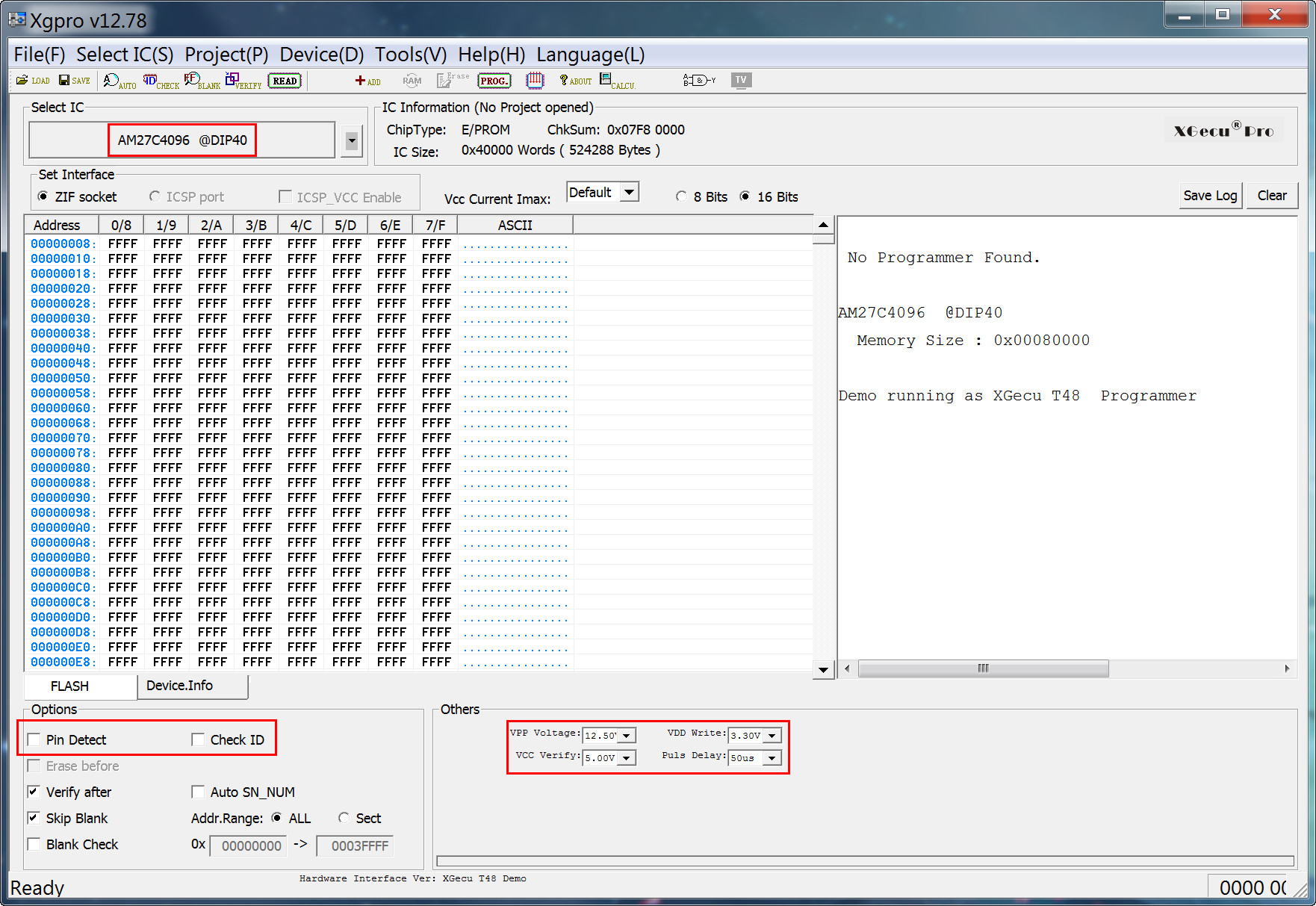
Insert the programming adapter into the TL866, T48:


Insert the EPROM into the lowest-possible position in the adapter and with pin 1 nearest the marker:

For the 27C400, put the small DPDT switch in non-27C322 mode (to the up) and keep encoder switch positions to 0. Also, because the 27C400 is only 40 pins, and not 42 pins, make sure to put the EPROM with pins 1 and 42 exposed.
If your are programming a 27C322 EPROMs, move the switch to the Position 27C322
The EPROM can now be accessed as if it were a 27C4096 device, 512kB at a time, as configured by the Rotary encoder.
How to split your file
To split your file into parts, use the free utility HJSplit 3.0
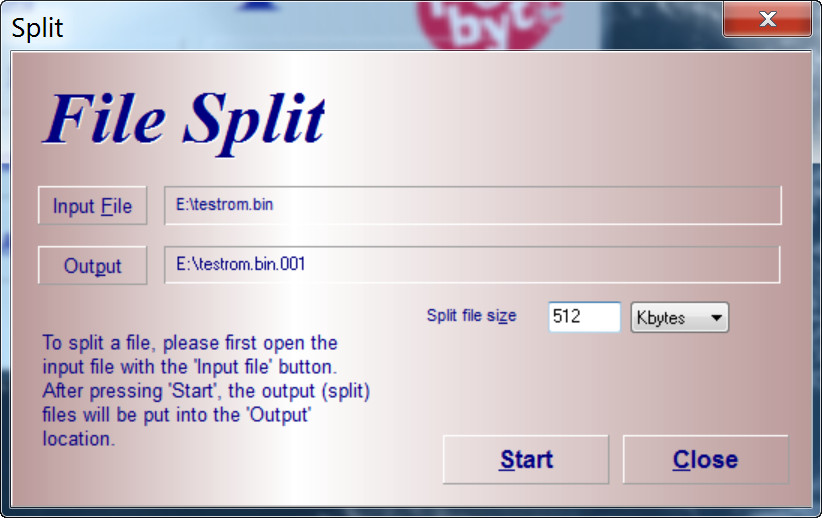
27C400 no need to set encoder, program all 512kB in one pass
27C800 program in 2x512kB passes: R=0 (bank 1), then R=1 (bank 2)
27C160 program in 4x512kB passes: R=0-3 (banks 1,2,3,4)
27C322 program in 8x512kB passes: R=0-7 (banks 1,2,3,4,5,6,7,8)
Troubleshooting
Make sure the EPROM is fully blank before programming Device -> Blank Check, always erase it before programming.
If chip contact is oxydized open and close the adapter’s ZIF lever a few times, and reposition the EPROM squarely in the socket.
Try adjusting VPP Voltage between 12.50V and 13.50V. Subjectively, greater success at the higher voltage, which gives headroom for voltage losses in transferring VPP through the adapter’s logic.
Programming errors will occur occasionally, and of course, the chances increase the larger the device. It makes sense to invest in a UV eraser. Most devices will be erased after 10 to 20 minutes under UV light 300nm.
Xgpro v12.38 sets the default VDD Write value to 6.60V for the AT27C4096. To avoid programming issues, make sure you change this value to 3.30V.